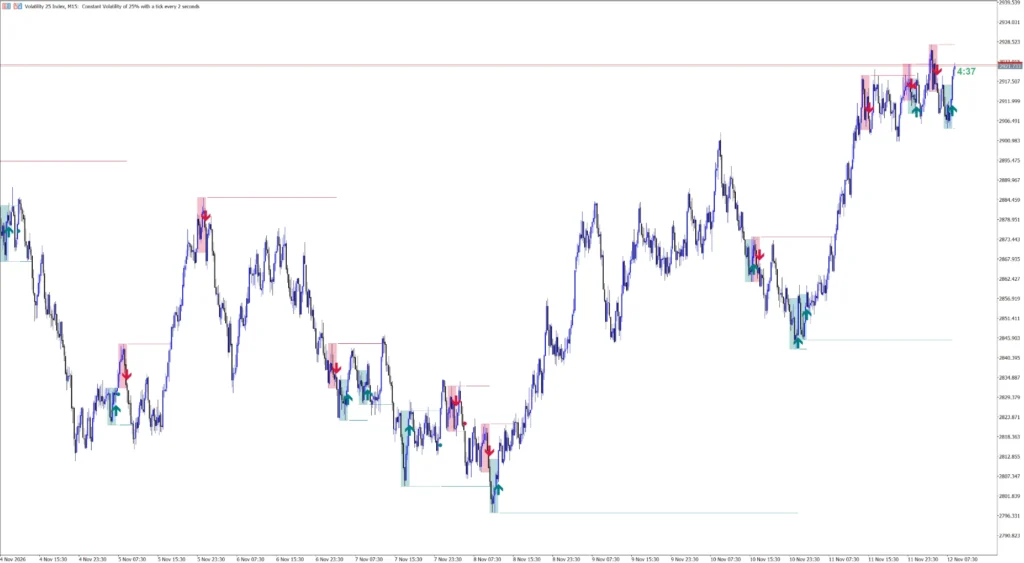
Checking the trend across timeframes usually means opening M15, H1, H4 and D1 in turn and trying to remember what each chart showed. The free Trend Radar indicator for MT4 and MT5, a multi-timeframe trend scanner developed by Trade Code Labs, shows the trend on all eight timeframes in a single panel in the corner of the chart.
Reading the Panel, Row by Row
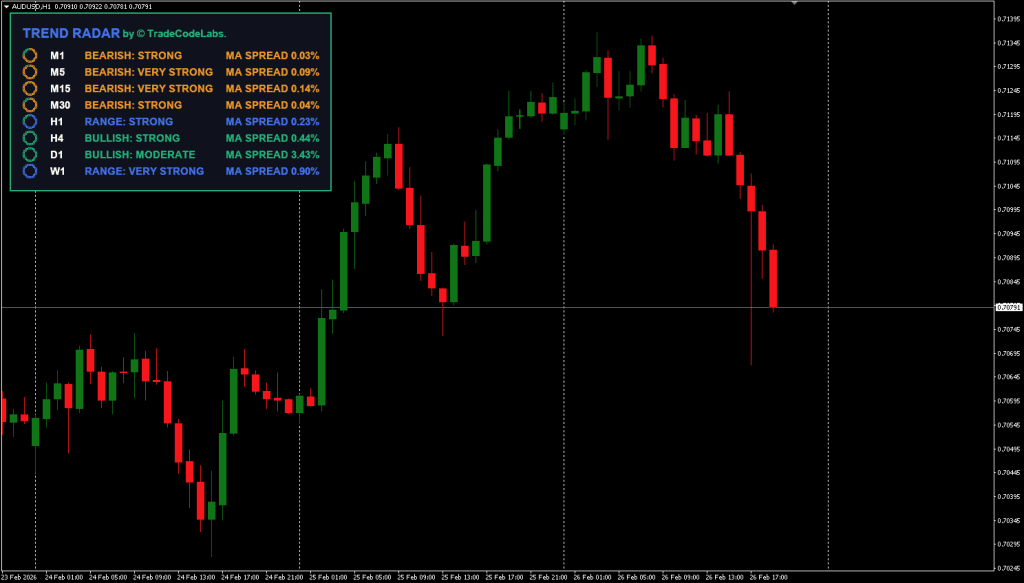
Each row is one timeframe, from M1 at the top to W1 at the bottom. Every row gives you three things:
- Direction: bullish, bearish or range, colour-coded so you can read it at a glance.
- Strength: a word such as moderate, strong or very strong, plus a ring icon that fills up as the trend gets stronger.
- MA spread: how far apart the fast and slow moving averages are, as a percentage. A wider spread means a more stretched trend.
Now look at the screenshot. M1 to M30 all read bearish, H1 is ranging, H4 and D1 are bullish, and W1 is ranging. This means the short-term sell-off on the chart is happening against the higher-timeframe uptrend. This is the kind of mixed picture in which Trend Radar is most useful: it tells you this is not a clean trade in either direction, before you spend money finding out.
What Drives Each Reading
Trend Radar layers two classic tools so a single moving-average cross cannot fool it on its own:
- Moving-average crossover for direction. A fast MA above the slow one points bullish, and below it points bearish. You can set the MA type and periods separately for every timeframe.
- ADX for confirmation. A bullish reading also needs +DI above −DI, and a bearish one the reverse. ADX strength drives the ring fill.
- Optional strength gate. Set a minimum ADX level (20 or 25 are common choices), and any timeframe below it is treated as having no real trend.
The panel can sit in any of the four chart corners. Pop-up alerts fire inside MetaTrader when trend conditions change; there is no email or mobile push. There is also a closed-bar mode, which bases readings on finished candles only. Use it if you want readings that do not flicker while a bar is still forming.
A Simple Way to Trade With the Trend Radar Indicator
- Put it on the chart you trade from, for example M5 or M15.
- Check H1, H4 and D1. You want all three pointing the same way, with solid strength.
- Only take entries on your trading timeframe in that direction, using your own entry rules.
- If the higher and lower timeframes disagree, as in the screenshot, wait.
It is a filter, not a signal generator, so pair it with your own setup and risk management, and test it on a demo account first. You will find more free tools on our free EAs and indicators page.
Common Questions About the Trend Radar Indicator
- What does RANGE mean? That timeframe has no clear trend by the indicator’s rules. On the screenshot, H1 and W1 show it. Treat a range reading as a reason to stay out on that timeframe, not as a weak trend.
- Does the strength word matter? Yes. A bullish reading marked moderate is far less convincing than one marked strong or very strong. Use strength to rank setups, not just direction.
- What is the MA spread telling me? It is the gap between the fast and slow averages as a percentage. A spread that keeps widening means the trend is accelerating. A very wide spread on a lower timeframe can also mean the move is stretched and due a pause.
- Does it work on gold and indices? Yes. It reads whatever symbol is on the chart, including metals, indices and crypto.
- Do I need the template? No, it is optional. It just loads the chart layout the developer uses, which is a quick way to start.
Installation (Indicator and Template)
- Download the zip below and unzip it. It contains MQL4, MQL5 and templates folders.
- In MetaTrader, open File → Open Data Folder, then:
- MT4: copy TCL TREND RADAR.ex4 into MQL4 → Indicators
- MT5: copy TCL TREND RADAR.ex5 into MQL5 → Indicators
- Optional: copy TCL – TCL TREND RADAR.tpl into the templates folder (MT4) or MQL5 → Profiles → Templates (MT5) to load the ready-made chart setup.
- Restart MetaTrader, or right-click Indicators in the Navigator and choose Refresh.
- Drag TCL TREND RADAR onto a chart, or right-click the chart and apply the template.
Trend Radar Indicator – MT4 & MT5
Zip file · 277 KB · includes .ex4, .ex5 and a chart template
Download FreeTrend Radar is developed by Trade Code Labs. All credit for the indicator goes to its developer.
- Telegram channel: https://t.me/StunnedCandles
- Contact me directly: https://t.me/StunnedCandlesAdmin
Risk warning: Trading forex, CFDs and synthetic indices carries a high risk of loss and is not suitable for everyone. This indicator is provided free for education and is not financial advice. It does not guarantee profits. See our Risk Disclaimer.