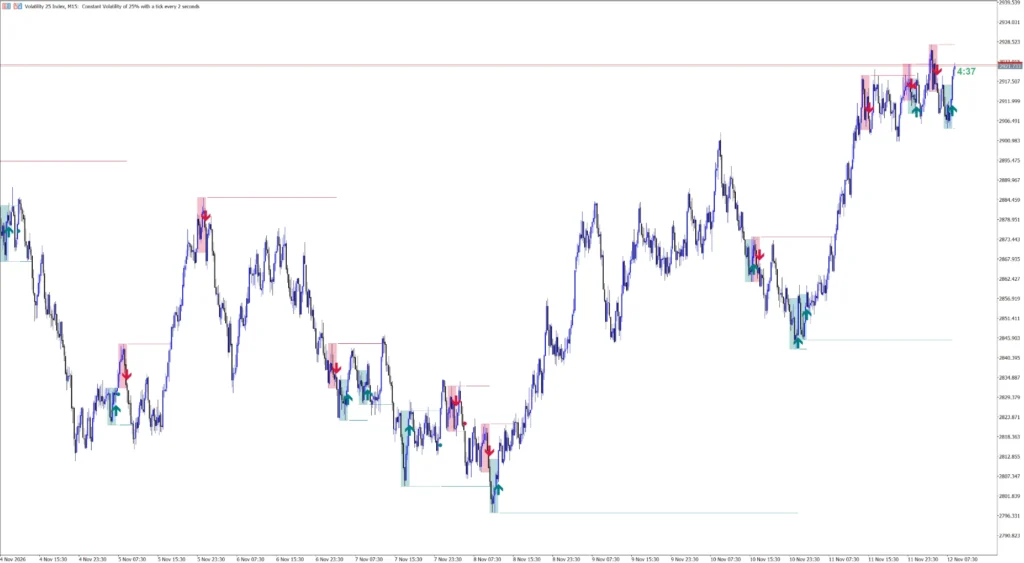
Classic MACD has one well-known weakness: by the time it confirms a move, a substantial part of that move has already happened. The free ZeroLag MACD indicator for MT4 tackles that by building MACD from lag-reduced moving averages, so the histogram and signal line turn sooner. The layout is familiar, but the indicator reacts more quickly.
ZeroLag MACD vs the Standard MACD
| Standard MACD | ZeroLag MACD | |
|---|---|---|
| Averages | Regular EMAs | EMAs adjusted to cut delay |
| Settings on our copy | Usually 12 / 26 / 9 | 12 / 24 / 9 (fast / slow / signal) |
| Display | Histogram and signal line | Blue histogram and red signal line, in its own window |
| Trade-off | Slower, but smoother | Faster, but needs a filter in choppy markets |
The last point is important. Anything that reacts faster also reacts to more noise, so the ZeroLag MACD indicator works best with the filters further down.
The Two-Step Signal
The idea is to wait for two things to agree instead of reacting to one:
- Buy setup: the histogram turns positive and the red signal line crosses above zero. Enter on the next candle close, with a stop below the recent swing low. Exit when both drop back below zero or start to flatten.
- Sell setup: the histogram turns negative and the signal line crosses below zero. Stop above the recent swing high. Exit when the histogram turns positive again or momentum fades.
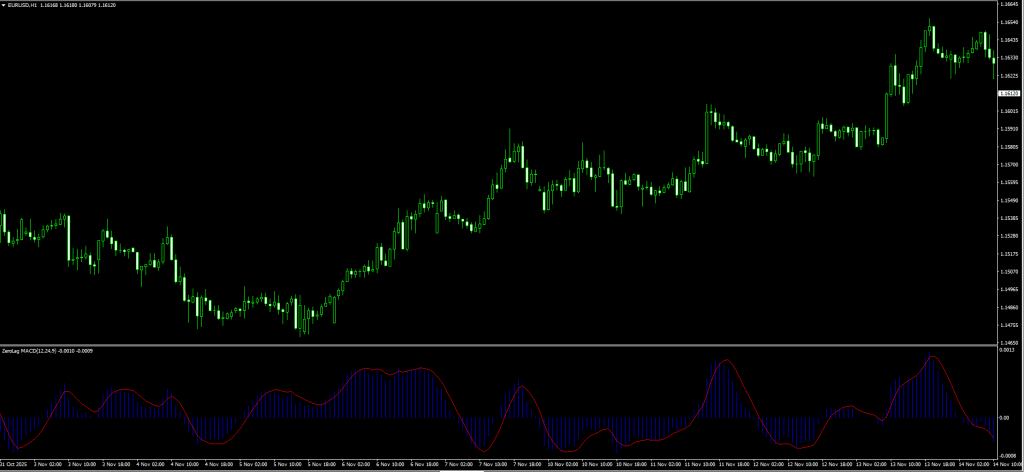
On the screenshot you can see the pattern repeat: each push higher in EURUSD comes with a hump of blue bars and the red line above zero, and each pullback drags both back under it. Act only on closed candles. The source says values are fixed once a bar closes, while the current bar keeps moving.
Filters That Make It Work Better
- Trend filter: only take buys above a 50 EMA and sells below it, or require ADX to show a trend.
- Candle confirmation: a bullish engulfing or hammer for buys, a bearish pin bar at resistance for sells.
- Divergence: if price makes a new high but the histogram peak is lower, momentum is fading. That is an early warning, not an entry.
- Session timing: skip quiet, low-volume hours, when fast indicators whipsaw the most.
It works on forex, indices, stocks and commodities. You can use it from M5/M15 for scalping up to H1 and above for swing trades. Practise on a demo account first. More free tools are on our free EAs and indicators page.
A Worked Example, Step by Step
The following example shows the two-step method on an H1 chart. This is an illustration of the process, not a real trade result.
- Price has been falling, and both the histogram and the red signal line sit below zero.
- The histogram bars shrink and then flip above zero. That is step one, but it is not enough on its own.
- A couple of candles later, the red line also crosses above zero. Both conditions now agree.
- You wait for that candle to close, check that price is above the 50 EMA, and buy at the open of the next candle.
- The stop goes below the most recent swing low. You size the position so that stop equals your normal risk, for example 1% of the account.
- You stay in while both remain above zero, and exit when the histogram drops back below zero or the red line flattens out.
Reverse every step and you have the sell version.
ZeroLag MACD Indicator FAQ
- Is there an MT5 version? Not in this download. Some listings call it MT4/MT5, but the indicator file here is an MT4 .ex4 only.
- Why 12/24/9 and not 12/26/9? That is what the window label on our copy shows. If you prefer the classic MACD values, check the Inputs tab when you attach it.
- Is it good for scalping? It can be used on M5 and M15, but faster charts mean more whipsaws. Lean on the trend filter and session timing above.
- Does it repaint? The source says values are fixed once a candle closes. The current bar still moves, so only act on closed candles.
Install the ZeroLag MACD Indicator on MT4
- Download the zip below and unzip it.
- In MT4, open File → Open Data Folder, go to MQL4 → Indicators and paste ZeroLag_MACD.ex4. The zip also includes a bonus indicator, extreme_spike_mtf.ex4. Copy it to the same folder if you want it.
- Restart MT4, or right-click Indicators in the Navigator and choose Refresh.
- Drag it onto a chart. It opens in a separate window below price.
ZeroLag MACD Indicator – MT4
Zip file · 45 KB · MT4 only · bonus: Extreme Spike MTF indicator
Download Free- Telegram channel: https://t.me/StunnedCandles
- Contact me directly: https://t.me/StunnedCandlesAdmin
Risk warning: Trading forex, CFDs and synthetic indices carries a high risk of loss and is not suitable for everyone. This indicator is provided free for education and is not financial advice. It does not guarantee profits. See our Risk Disclaimer.